
Suspending a tenant pauses its authentication traffic while keeping every resource it owns intact. Users can't sign in while it's suspended, but no data is dropped and no resources are released. Resuming puts the tenant back to Active in one click. The whole cycle is reversible and idempotent.
Three common reasons:
- Billing pause. Customer hasn't paid; pause their access without losing their data.
- Scheduled maintenance. You need to do something to the platform that shouldn't run alongside live traffic for this tenant.
- Compliance hold. Legal or security team needs traffic stopped while an investigation runs.
If you need to release resources too, decommission is the destructive equivalent. Suspend is reversible; decommission is not (well — recreate exists, but it's a fresh tenant under the same slug, not a restoration).
Suspending
Section titled “Suspending”From the tenant detail page (state = Active), click Suspend in the Actions section. The state flips to Suspended within a second or two — no confirmation dialog, no resource churn. The Suspend button is replaced with a Resume button.
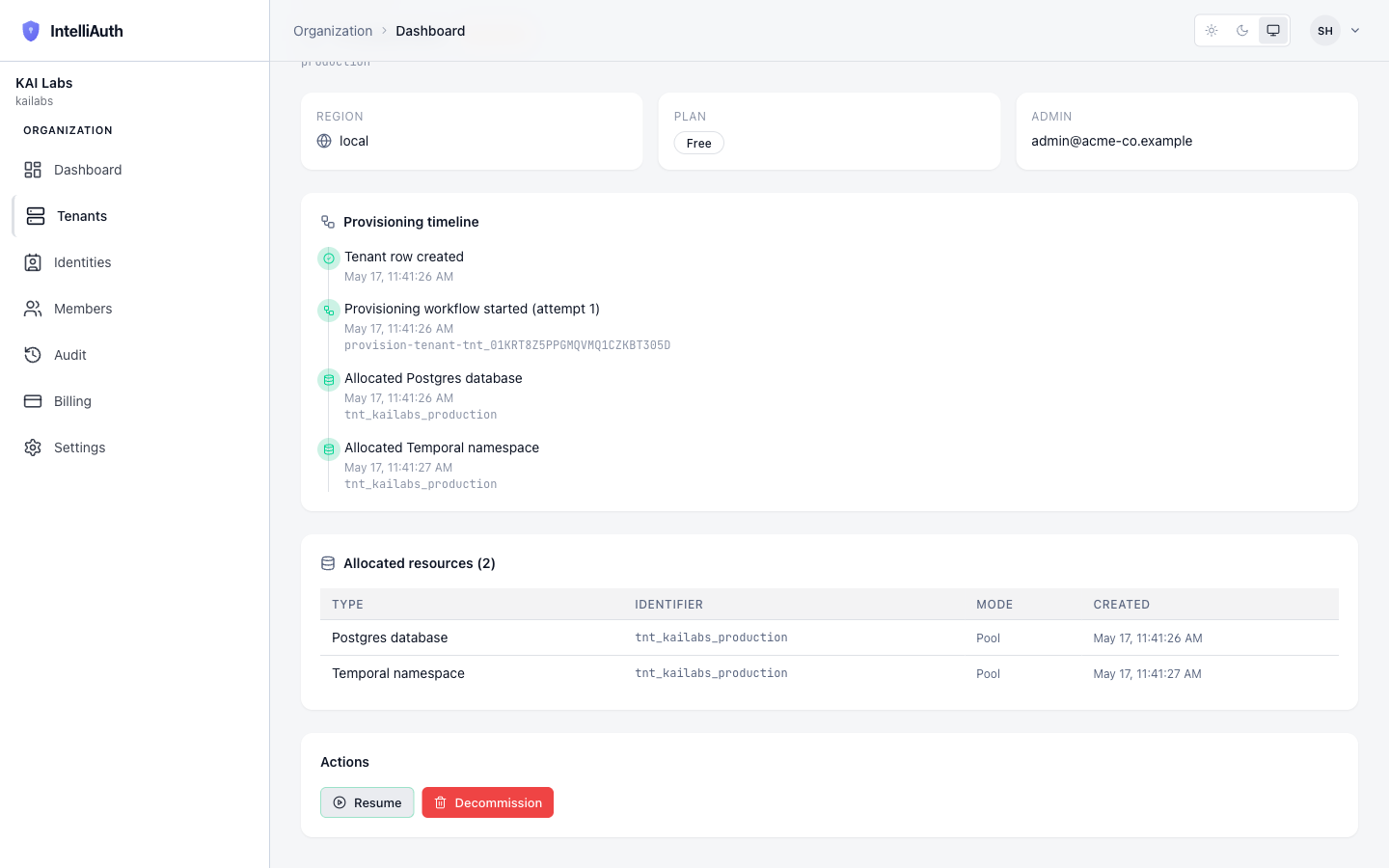
What changes when a tenant is suspended:
- Authentication traffic stops. Users hitting
https://<slug>-<org>.<domain>/...see a paused-account response. Their sessions are not invalidated, but no new logins or token issuance happens. - Open Admin Console link disappears. The platform refuses to deep-link into a paused tenant's console.
- Resources stay allocated. The tenant's data, configuration, and infrastructure remain — only traffic is gated.
What does NOT change:
- The audit log retains the suspend event. When and who did this is always recoverable.
- The tenant's data is unchanged. No users are dropped, no applications removed, no sessions purged.
Resuming
Section titled “Resuming”From the detail page (state = Suspended), click Resume. The state flips back to Active within a second. The Open Admin Console link reappears and the Suspend button is back. Users can sign in immediately.
There's no special "warming-up" period after resume. The platform was already holding the tenant's resources in place; flipping the state is enough.
What suspend can't do
Section titled “What suspend can't do”- It can't free resources or save money. The tenant's resources stay allocated; cluster cost is unchanged. Use decommission if reducing footprint matters.
- It can't be scheduled. There's no "suspend at midnight UTC" affordance today. Manual or via the API only.
- It can't be partial. All-or-nothing — you can't suspend just one application or one user inside a tenant. For per-user actions, sign in to the tenant's own admin console.