
The Audit page is the system-of-record for "what changed in this organisation, and when." Every action a platform operator takes — provisioning a tenant, suspending one, inviting a member, changing a plan — emits an event. The feed is chronological, filterable, and never deleted.
The list view
Section titled “The list view”Five columns: when, type, actor, tenant, details. The most recent events sit at the top; pagination shows 50 events per page.
https://manage.intelliauth.local/dashboard/audit
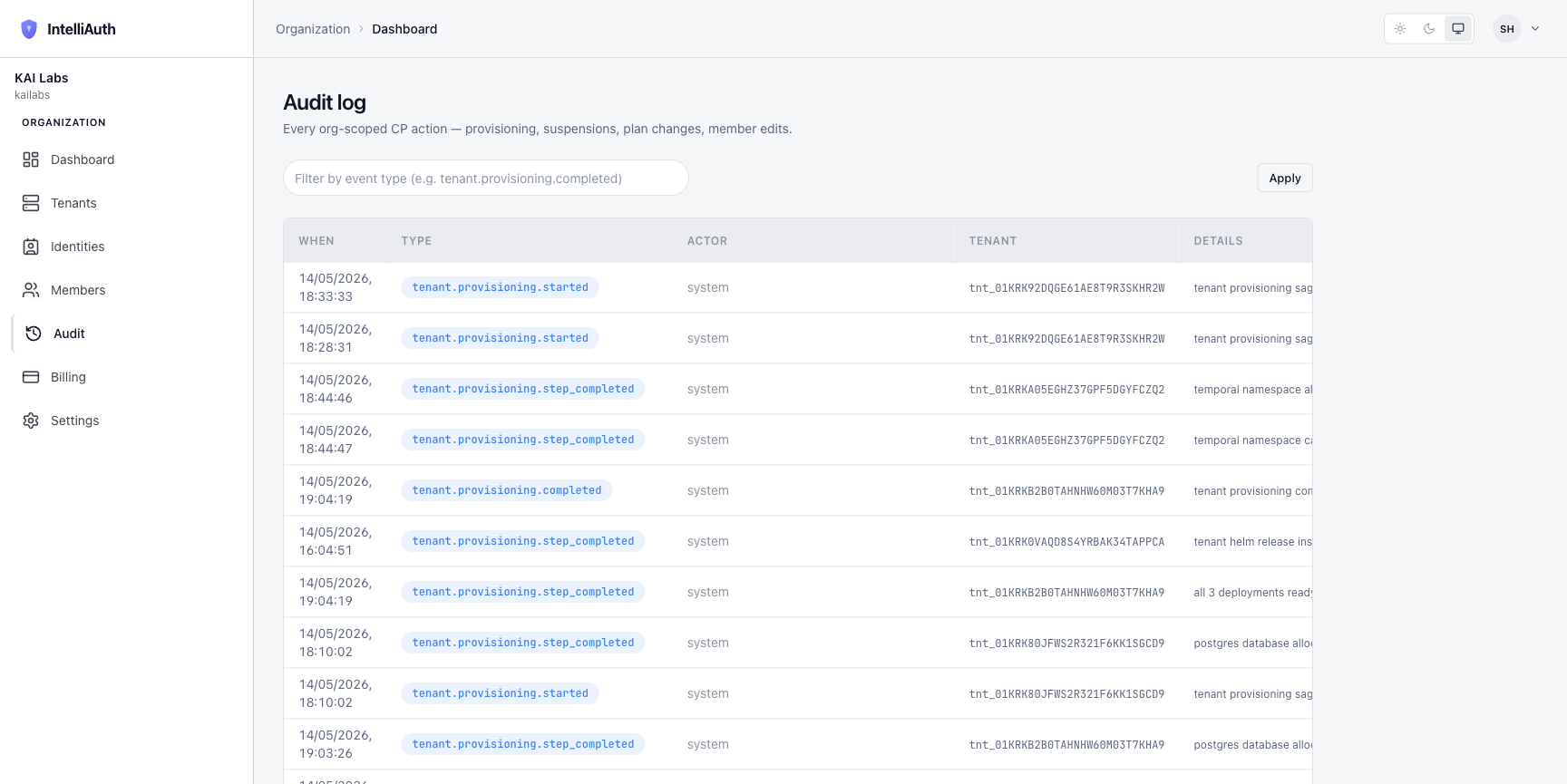
A filter box at the top accepts an event-type substring (tenant.provisioning, tenant.deprovisioning, member, etc.) and an Apply button narrows the feed.
What lands in the feed
Section titled “What lands in the feed”Three categories of events:
- Tenant lifecycle. Provisioning starts, completes, fails, gets rolled back. Suspension and resume. Decommissioning, recreation. See Tenant lifecycle.
- Organisation. Member invited, accepted, removed. Role changes. Ownership transfer.
- Plans and policy. Plan tier changed for a tenant. Platform-wide MFA defaults adjusted.
Each event row carries:
- When — UTC timestamp.
- Type — a closed enum (see Audit event reference).
- Actor — the user who triggered the action, or
systemfor actions emitted by the platform itself (saga steps, scheduled work). - Tenant — present when the event scopes to a tenant; null for org-level actions.
- Details — a human-readable phrase describing what happened.
What's not in the feed
Section titled “What's not in the feed”Three categories of activity deliberately don't appear here:
- Tenant-scoped events. What individual users did inside a tenant lives in that tenant's own audit log — login, MFA, password reset, application changes. Open the tenant's admin console for those.
- Read-only viewing. Opening a page doesn't emit an event. Only state changes do.
- Health probe results. Infrastructure-level signals belong to the observability stack, not this ledger.
Where to go next
Section titled “Where to go next”- Drill into specific event types. Audit event reference catalogues each closed-enum type with its payload shape.
- Export the feed. Filter to the rows you need, then export to CSV or JSON via the toolbar (when enabled for your plan).