
Every invitation you send sits in the Pending invitations tab until the recipient accepts. From there you have two affordances on each row: Resend invitation (sends the email again with a fresh expiry) and Revoke invitation (invalidates the link entirely).
The pending invitations table
Section titled “The pending invitations table”The Pending tab shows columns for email, role, status, expires, plus per-row action buttons.
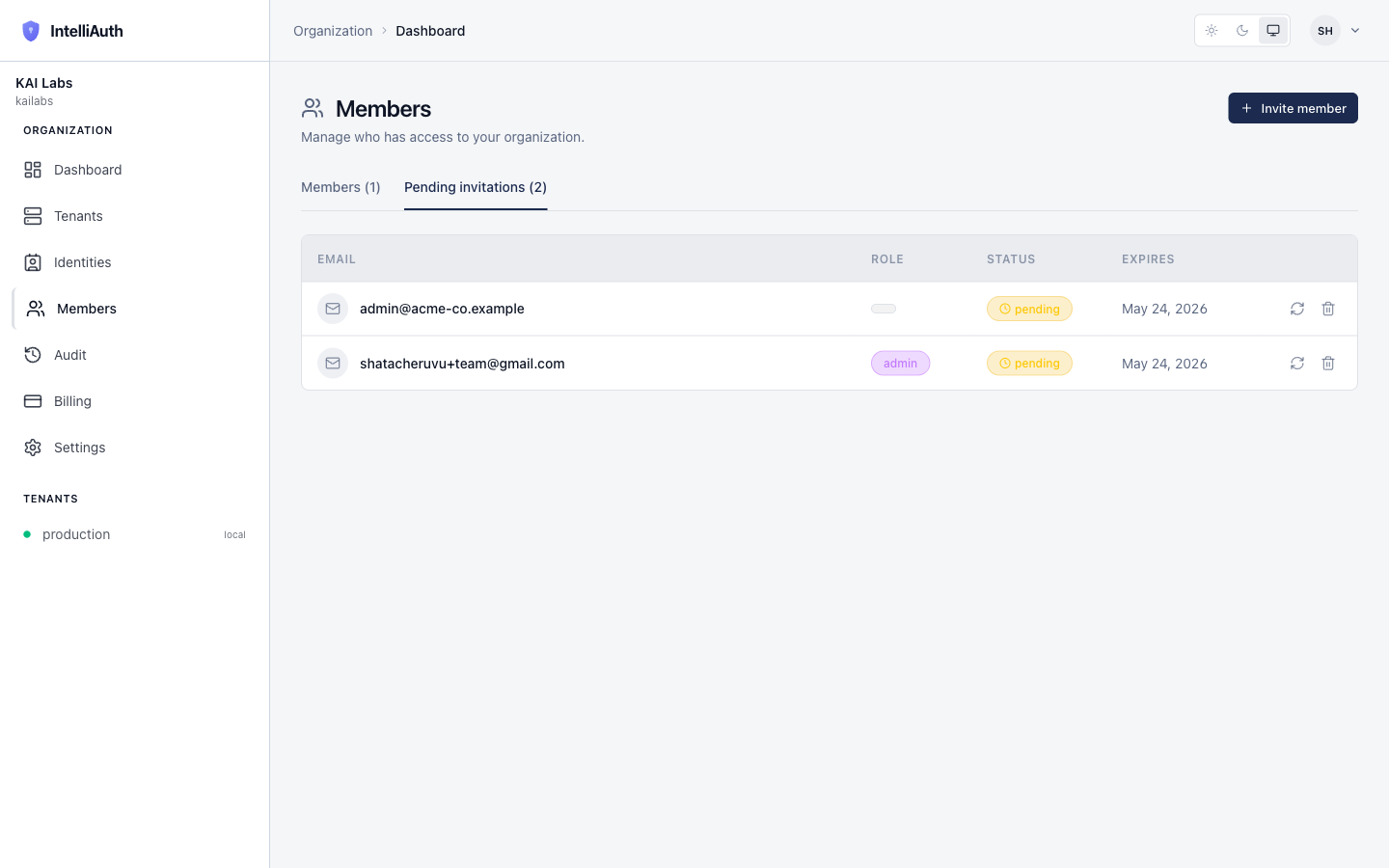
Invitations expire 7 days after issue. Once expired, the row stays in the table with status expired so you can see the history; clicking Resend on an expired invite issues a fresh link with a new 7-day window.
Resend an invitation
Section titled “Resend an invitation”Click the Resend button on the row. The platform:
- Generates a fresh invitation token (the old one is invalidated).
- Sends a new email to the same address with the fresh link.
- Resets the expiry to 7 days from now.
- Emits
org.invitation_resentto the audit feed.
A toast confirms the resend ("Invitation resent"). The recipient gets a new email; they can click either the new link or, if they kept the old email, they'll find the old link no longer works.
When to resend:
- The recipient says they didn't get the email (check spam first, but resend if needed).
- The invitation expired before they accepted.
- The recipient lost the original email and can't find it.
Revoke an invitation
Section titled “Revoke an invitation”Click the Revoke button on the row. A confirm dialog opens showing the email address you're about to revoke:
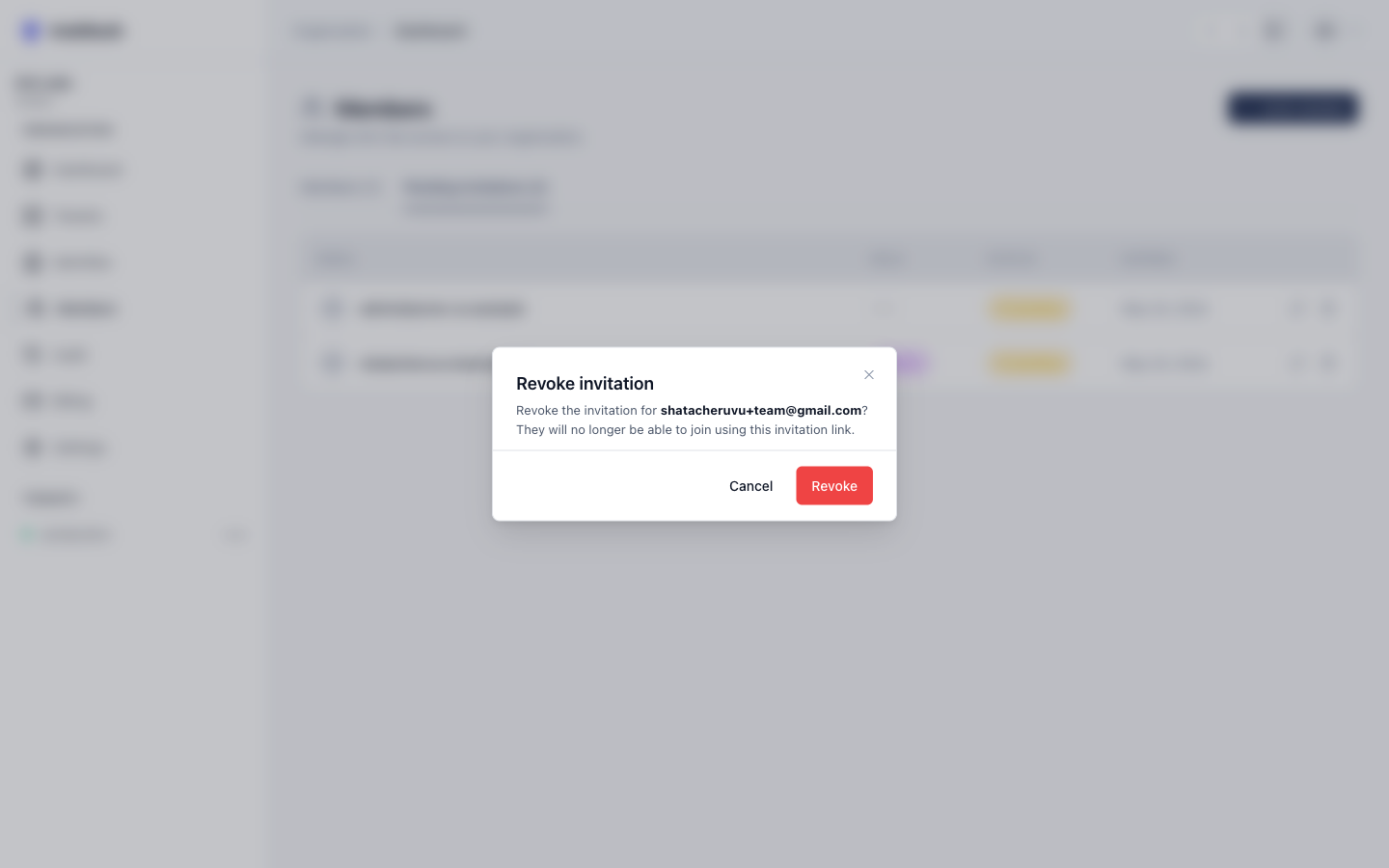
Click Revoke to confirm. The platform:
- Invalidates the invitation token. The link in the recipient's email stops working.
- Removes the row from the Pending tab.
- Emits
org.invitation_revokedto the audit feed.
If the recipient clicks the now-revoked link, they see a "This invitation is no longer valid" page with a hint to contact the organisation owner if they think it was revoked in error.
When to revoke:
- The recipient is no longer joining the team (changed roles, left the company).
- The invitation was sent in error (wrong email, wrong role).
- You're cleaning up old pending invitations as part of a security review.
What revoke doesn't do
Section titled “What revoke doesn't do”- It doesn't remove an accepted member. Revoke only applies to pending invitations. Once someone accepts and joins, they're a member; use Remove a member instead.
- It doesn't email the recipient. No notification is sent. If you need to tell them you've revoked, do that out-of-band.
- It doesn't free the email for a fresh invite at lower cost. You can immediately re-invite the same email at a different role; it'll create a new pending row.