The Audit page is the system-of-record for "what changed in this organisation, and when." Every action a platform operator takes — provisioning a tenant, suspending one, inviting a member, changing a plan — emits an event. The feed is chronological, filterable, and never deleted.
The list view
Five columns: when, type, actor, tenant, details. The most recent events sit at the top; pagination shows 50 events per page.
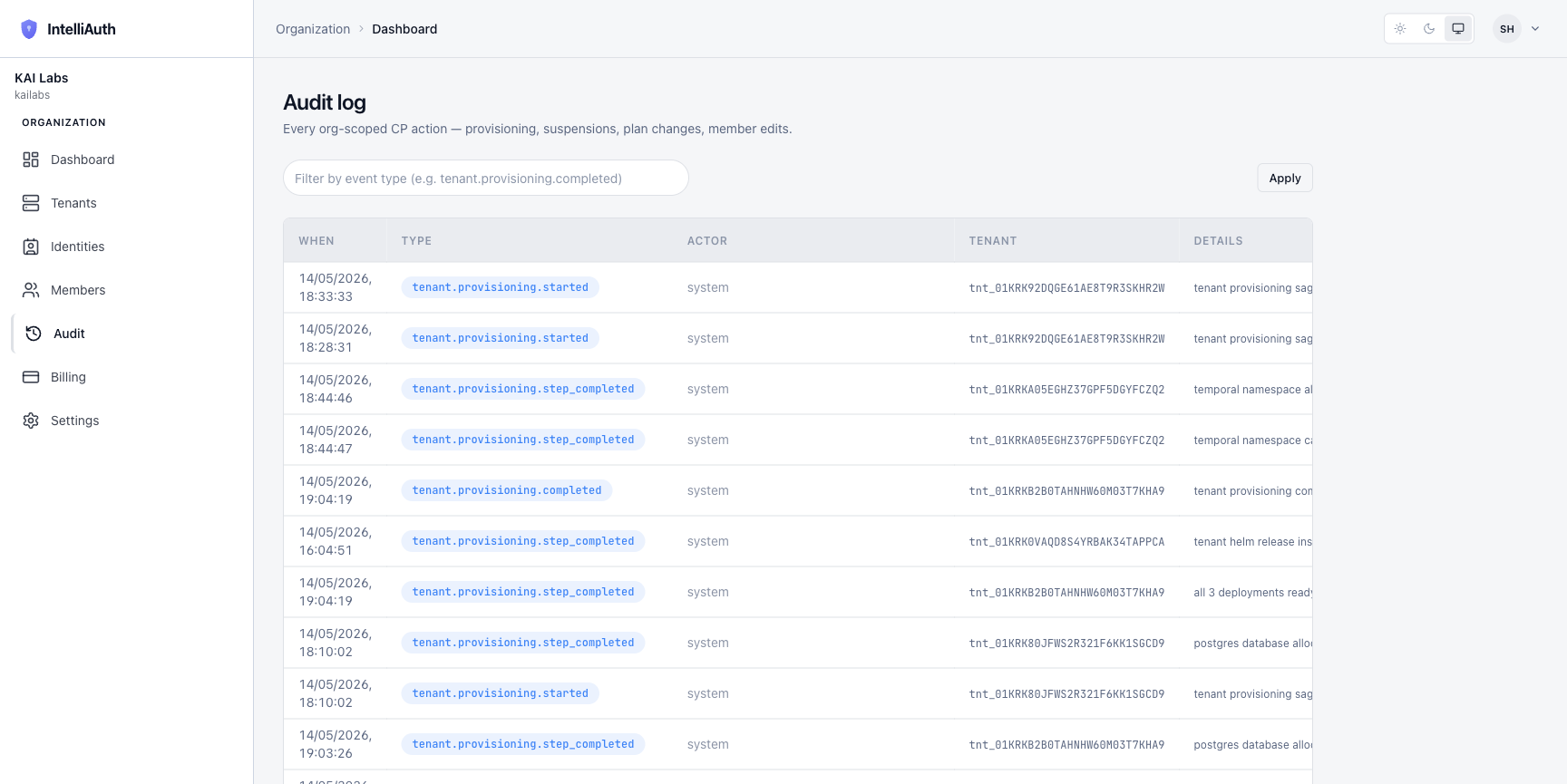
A filter box at the top accepts an event-type substring (tenant.provisioning, tenant.deprovisioning, member, etc.) and an Apply button narrows the feed.
What lands in the feed
Three categories of events:
Tenant lifecycle. Provisioning starts, completes, fails, gets rolled back. Suspension and resume. Decommissioning, recreation. See Tenant lifecycle.
Organisation. Member invited, accepted, removed. Role changes. Ownership transfer.
Plans and policy. Plan tier changed for a tenant. Platform-wide MFA defaults adjusted.
Each event row carries:
When — UTC timestamp.
Type — a closed enum (see Audit event reference).
Actor — the user who triggered the action, or
systemfor actions emitted by the platform itself (saga steps, scheduled work).Tenant — present when the event scopes to a tenant; null for org-level actions.
Details — a human-readable phrase describing what happened.
What's not in the feed
Three categories of activity deliberately don't appear here:
Tenant-scoped events. What individual users did inside a tenant lives in that tenant's own audit log — login, MFA, password reset, application changes. Open the tenant's admin console for those.
Read-only viewing. Opening a page doesn't emit an event. Only state changes do.
Health probe results. Infrastructure-level signals belong to the observability stack, not this ledger.
Where to go next
Drill into specific event types. Audit event reference catalogues each closed-enum type with its payload shape.
Export the feed. Filter to the rows you need, then export to CSV or JSON via the toolbar (when enabled for your plan).